Farm Bucks Farm Bucks are a type of currency on FarmVille 2. At the start of the game, you are given 10 Farm Bucks for free. Once you have spent these, no other free farm bucks are granted.
As Valentine’s Day is arriving soon we are just sharing a contest with you to help all game players to earn more farm bucks to purchase premium items in your farm.
Because farm bucks are like real money and most of the game items are premium like purchasing land, houses and some animals are cost you farm bucks. Most of the players spent their real money to get premium items. So we are celebrating 2 years of our Blog with our players and fans. We Will give you 15 Farm Bucks to 1000 Fans via Zynga Game cards. You just have to follow all simple steps below

5 Farm Bucks for 1000 Fans. Follow Instructions given below to Win on March 1st, 2014. If you will miss steps you will not get farm bucks.
Just Click on Follow Button below to get 15 Farm Bucks via FarmVille 2 Game Card
As Valentine’s Day is arriving soon we are just shari

1. Click Share button above
2. Comment below and write " I need Farm Bucks "

You are done.
Note: If you followed all steps than wait for few days and we will send you detail on your Facebook Profile and email about Zynga Card and you will be able to enter the voucher code in FarmVille 2 game.

Comment Below
READ MORE

Farmville 2: Levels Unlocks

0 comments

New Fun for High Level Farmers!


We have added new fun for our high level farmers! Levels 81 – 100 are now available, along with new Animals, Crops, and high-valued crafting Recipes. See below for all of the details on our latest release, and enjoy!

If you are level 10 or higher, you will see the following pop-up. Click on the “Get it Now” button to get started.

  New Fun for High Level Farmers - FarmVille 2


Levels: 
  • 81 – 100

Animals:
  • Guinea Hog (Level 41)
  • Black Sultan Chicken (Level 45)
  • African Buffalo (Level 53)

Crops:
  • Water – Watercress (Level 29)
  • Land – Oat (Level 63)

Crafting Kitchen Recipes:
  • Levels 29 – 45
    • Sautéed Watercress and Radishes (Level 29)
    • Watercress Soup (Level 29)
    • Watercress and Orange Salad (Level 29)
    • Goat Cheese Sandwich (Level 33)
    • Cucumber Watercress Salad (Level 33)
    • Tea Sandwich (Level 33)
    • Cheese Grits (Level 45)
    • Watercress and Potato Salad (Level 50)
  • Levels 60 – 65
    • Spinach Salad (Level 61)
    • Raspberry Vinaigrette (Level 62)
    • Raspberry Bing Salad (Level 62)
    • Vinegar (Level 61)
    • Oatmeal (Level 63)
    • Cranberry Oatmeal (Level 64)
    • Oatmeal Cranberry Cookie (Level 65)
  • Levels 77 – 95
    • Tropical Oatmeal (Level 77)
    • Tropical Cupcake (Level 77)
    • Banana Bread Oatmeal (Level 77)
    • Century Eggs (Level 95)
    • Lavender Honey Ice Cream (Level 95)
    • Crate of Milk (Level 95)

Crafting Workshop Recipes:
  • Levels 13 – 19
    • Spur (Level 13)
    • Lasso (Level 13)
    • Wagon Wheel (Level 13)
    • Horse Blanket (Level 15)
    • Riding Boots (Level 15)
    • Glass Butterfly Charm (Level 15)
    • Blue Guitar (Level 19)
    • Wood Guitar Body (Level 19)
    • Guitar Body (Level 19)
  • Levels 23 – 28
    • Good Fortune Charm (Level 23)
    • Decorated Saddle (Level 23)
    • Decorative Photo Frame (Level 23)
    • Metal Photo Frame (Level 23)
    • Wooden Photo Frame (Level 26)
    • Duck Photo Frame (Level 27)
    • Pizza Board (Level 28)
  • Levels 30 – 40
    • Cheese Board (Level 30)
    • Double Edged Cheese Knife (Level 31)
    • Utah Wreath (Level 33)
    • Utah Soap (Level 33)
    • Utah Earrings (Level 33)
    • Feather Toys (Level 35)
    • Feather Bundle (Level 35)
    • Feathered Wool Pouch (Level 35)
    • Stuffed Duck Toy (Level 40)

Crafting Kiln Recipes: 
  • Levels 23 – 32
    • Tuscan Sunflower Tile (Level 23)
    • Tuscan Decorative Plate (Level 23)
    • Tuscan Decorative Jar (Level 23)
    • Acoma Vase (Level 26)
    • Lizard Vase (Level 26)
    • Feather Pot (Level 26)
    • Commemorative Plate (Level 29)
    • Flower Teacup (Level 32)
    • Teapot (Level 32) 

Via Farmville 2 Official Blog
READ MORE

Farmville 2: Mardi Gras Items

0 comments


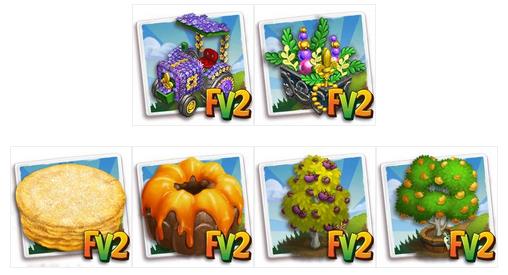
Mardi Gras Festival 2014 Falls on 4 March (of course Tuesday) and parades will began on 15 February. 
You can also enjoy lots of new upcoming mardi gras items is Farmville 2 with Mardi Gras preparation and festival. 

In Farmville 2 you will enjoy followings items in upcoming Mardi Gras festival. 


READ MORE

Farmville 2: Frozen Goods Shanty

0 comments

Frozen Goods Shanty!

Winter has come to FarmVille 2 and it’s time to explore a whole new way to craft recipes with no power and earn great rewards, including an exclusive Baby Bagot Goat!
If you are LEVEL 15 or higher, you will see the following pop-up:

Image 1 
After you get started, you can find your Frozen Goods Shanty near your water crops expansion.

Image 2
Building the Frozen Goods Shanty
Your first step is collecting Building Materials. You will need the following items to start building your Frozen Goods Shanty:
  • Cedar Planks
  • Shanty Insulation
  • Shanty Shingles

Image 3
 
Note: You can send requests for materials to your Friends every 18 hours.
Once you have collected the required items, click on the “Start Building” button at the bottom of the construction menu.
Now that the Frozen Goods Shanty is almost complete, you will need a little help from your Neighbors to finish the job. The Frozen Goods Shanty requires four additional helpers, so click on the “Ask Friends” button to send some crew requests to your Friends.

Image 4

When they accept, you will see the spots in the Build Menu begin to fill. If you do not wish to wait for your Friends, click on the “Hire One” button to purchase crew members with Farm Bucks. Once you have successfully filled all four spots, click on the “Finish & Share” button.

Using the Frozen Goods Shanty
Click on the Frozen Goods Shanty to open the main menu.

Image 5a

This menu shows how many Frozen Orders you have collected and what prizes you are currently eligible to redeem. You earn Frozen Orders by completing the crafting recipes in the Frozen Goods Shanty. This number keeps counting up, even as you redeem prizes. Crafting in the Frozen Goods Shanty does not cost Power.
A – An available Frozen Goods Ice Box. You start with two and can build more for a total of six. Having more Frozen Goods Ice Boxes allows you to earn Frozen Orders faster! (For details on how to build additional Frozen Goods Ice Boxes see below.)
B – The total amount of Frozen Orders you have.
C – Frozen Goods crafting recipes. Complete these recipes when you have an empty Frozen Goods Ice Box to earn Frozen Orders. (For more details on the Frozen Goods crafting recipes see below.)
D – The number of Frozen Orders you will receive for completing a Frozen Goods crafting recipe.
E -- The number of Farm Bucks required when purchasing a prize.
F -- How long you have left to earn Frozen Orders by crafting Frozen Goods
G – How much time remains before a Frozen Goods recipe is complete and the Frozen Goods Ice Box can be used again. If you do not want to wait you can hurry production by paying the amount of Farm Bucks listed for that recipe.
H – An empty space you can build a new Frozen Goods Ice Box in.

Crafting Frozen Goods Recipes
In order to earn Frozen Goods, you must craft the Frozen Goods Recipes for Cornelius. You can craft Frozen Goods via the Frozen Goods Shanty.
At the top of the Frozen Goods Shanty menu, you can view the Frozen Goods Recipes:

Image 6
 
LE Recipes
The following LE Recipes will be available to craft for a limited period of time, be sure to make them before they expire!
  • Heirloom Peach Popsicle
  • Butterscotch Frozen Yogurt
Permanent Recipes
The following Permanent Recipes will be available until the Frozen Ice Shanty event is complete.
  • Frozen Purple Broccoli
  • Frozen Corn
  • Blueberry Popsicle
  • Frozen Eggplant
  • Heirloom Sour Apple Frozen Yogurt
  • Heirloom Chilled Fruit
  • Heirloom Lemon Ice Cream
  • Chilled Berries
  • Berry Ice Cream
  • Chocolate Ice Cream
  • Butterscotch Ice Cream

Making a Frozen Good
Frozen Good recipes are similar to other crafting recipes with the following distinctions.
  • These recipes can only be made in the Frozen Goods Shanty.
  • You must have an available Ice Box to craft a Frozen Good.
  • Crafting Frozen Goods does not require Power.

Image 7a

Frozen Good Recipe Details
A – The ingredients required to craft a Frozen Good.
B – Click here to craft a Frozen Good once you have all the ingredients.
C – How long it will take for a Frozen Good to be ready in your Ice Box.
D – How many coins you can sell your Frozen Good for after it’s crafted.
E – How many Frozen Orders you will receive for crafting a Frozen Good.
Note: If you try to craft and don’t have an empty ice box the ‘Freeze’ button will be greyed out.In that case you have to wait or can pay to complete.

Building Additional Frozen Goods Ice Boxes
If you would like to earn Frozen Orders faster, you can add up to four more Frozen Ice Boxes to your Frozen Goods Shanty. Each new Frozen Ice Box will allow you to prepare one additional Frozen Goods Recipe inside your Shanty.
Your first step is collecting Building Materials. Each Frozen Ice Box requires different Building Materials to complete:
  • Frozen Ice Box 1
    • Green Tin Sheets
    • Tin Hinges
  • Frozen Ice Box 2
    • Iceboxes
    • Icepicks
  • Frozen Ice Box 3
    • Ice Pickaxes
    • Help Ropes
  • Frozen Ice Box 4
    • Ice Hammers
    • Ice Saws
Note: Your Frozen Ice Boxes may list these required materials in a different order.

Image 8

Note: You can send requests for materials to your Friends every 18 hours.
Once you have collected the required items, click on the “Start Building” button at the bottom of the construction menu.
Now that the Frozen Goods Ice Box is almost complete, you will need a little help from your Neighbors to finish the job. The Frozen Goods Ice Box requires four additional helpers, so click on the “Ask Friends” button to send some crew requests to your Friends.

Image 9

When they accept, you will see the spots in the Build Menu begin to fill. If you do not wish to wait for your Friends, click on the “Hire One” button to purchase crew members with Farm Bucks. Once you have successfully filled all four spots, click on the “Finish & Share” button.
Redeeming Frozen Orders for Prizes
Once you have collected enough Frozen Orders, they can be redeemed for great prizes. Click on your Frozen Goods Shanty to open up your progress menu.
You can redeem the following five prizes with Frozen Orders:
  • Pack of 5 Frosty Stone Pavers (5 Frozen Orders)
  • Goodie Bag (103 Frozen Orders)
  • Pack of 4 Frosty Stone Walls (138 Frozen Orders)
  • Goodie Bag (172 Frozen Orders)
  • Baby Bagot Goat (206 Frozen Orders)
Note: Redeeming Frozen Orders for any Frozen Goods Shanty prize will not deduct from your Frozen Order count total (your Frozen Order count will not decrease).
These prizes can be redeemed multiple times in a row, as long as you have enough Frozen Orders. Once you have collected enough Frozen Orders to reach the end of the meter, you will earn the Baby Bagot Goat!

Image 10

Additional Information
  • You have 4 weeks to collect the prizes. If you do not collect them all, the prizes will disappear and you will be unable to claim them.
  • You are limited to one Frozen Goods Shanty per farm.
  • The Frozen Goods Shanty is unmovable.
Via Farmville 2 Official Blog

READ MORE

Lunar New Year Lantern Festival!


Header

It’s Lunar New Year in FarmVille 2! Craft Lanterns to celebrate Lunar New Year and earn Red Envelopes, which you can redeem for rewards and the exclusive Baby Buckskin Mini Horse!
If you are level 15 or higher, you will see the following pop-up. Click on the “Get Started” button to celebrate.
 001 Loading

Building the Lunar Lantern Stand
Your first step is collecting Building Materials. You will need the following items to start building your Lunar Lantern Stand:
  • Lantern Paper
  • Tea Lights
  • Lantern Ropes
To collect Lantern Paper, click on the “Post” button to post to your Facebook wall; you will get the parts when your Friends click on it, or when you click on a similar newsfeed post.
Click on the “Ask” button to send requests for Tea Lights and Lantern Ropes to your Neighbors. If you do not wish to wait for your Friends, you can skip any of these tasks for Farm Bucks.

  100 Build Lunar New Year

Note: You can send requests for materials to your Friends every 18 hours.
Once you have collected the required items, click on the “Start Building” button at the bottom of the construction menu.
Now that the Lunar Lantern Stand is almost complete, you will need a little help from your Neighbors to finish the job. The Lunar Lantern Stand requires four additional helpers, so click on the “Ask Friends” button to send some crew requests to your Friends. When they accept, you will see the spots in the Build Menu begin to fill. If you do not wish to wait for your Friends, click on the “Hire One” button to purchase crew members with Farm Bucks. Once you have successfully filled all four spots, click on the “Finish & Share” button.

  101 Hire Lunar Builders

Using the Lunar Lantern Stand
Click on the Lunar Lantern Stand to open the main menu.

010 Lantern Festival HUD 4

This menu shows how many Red Envelopes you have collected and what prizes you are currently eligible to redeem.
A – The total amount of Red Envelopes you have. You earn Red Envelopes by gifting Lanterns to your Friends. This number keeps counting up, even as you redeem prizes.
B – The button to use when you want to craft Red Lanterns and gift to your Friends (earn Red Envelopes).
C – The number of Farm Bucks required to purchase a prize.
D – The amount of Red Envelopes you will receive once a Friend has accepted that particular Lantern gift.
E – The total amount of that particular Lantern, which is ready to gift to your Friends.
F – If you want to invite your Friends over and gift them a Lantern, click on this button and a request will post to your feed and let you send request to Friends.

Crafting Lunar Lanterns
In order to earn Red Envelopes, you must craft the Lunar Lantern Recipes and invite your Friends over to pick up their Lunar Lantern gift. You can craft your very own Lunar Lanterns via the Lantern Stand.
From the Lunar Lantern Stand menu, click on the “Make” button to open the Recipe menu. You can choose from three different recipes:
  • Red Lantern: The required ingredients are Wool and Tong Qua Winter Melons. Note: To get wool, feed your Adult Sheep and Rabbits (feeding Prized Sheep and Rabbits do not count). Tong Qua Winter Melon is a Limited Edition Crop that grows on land.
 014 Make Red Lantern
  • Box Lantern: The required ingredients are Horseshoes and Lunar Paper. Note: Wood can be harvested from Pine Trees (harvesting Heirloom Trees does not count). You can Ask your Friends for Lunar Paper.

Box Lantern Recipe
 
  • Lotus Lantern: The required ingredients are Horseshoes and Lotus Silk. Note: To get Horseshoes, feed your Adult Horses (feeding Prized Horses does not count). You can Post to your Friends for Lotus Silk
 011 Make Lotus Lantern


Once you have filled your six Lantern slots, the “Make 1” button on the Recipe Card will grey out and you will be unable to craft more until Friends have accepted what you have already crafted.

015 Limit Reached
 

Collecting Red Envelopes
To get Red Envelopes, you will need to enlist the help of your Friends. From the Lunar Lantern Stand menu, click on the “invite” button to send requests to your Friends. Some other Friends will visit your farm from time to time and accept a Lunar Lantern gift too!
Note: If you do not wish to wait, you can purchase these visitors and/or individual Red Envelopes for Farm Bucks from the Lunar Lantern Stand menu.
When Red Envelopes appear on your farm after a Friend has accepted a Lantern gift, click on them and you will see the following pop-up:

 012 Share Red Envelopes

Click on the “Share Red Envelopes” button to post a feed to your wall. Your Friends will be able to click on this feed to claim some free Red Envelopes too. Once you have clicked on the Red Envelope, it will automatically be added to your Lunar Lantern Stand.
Note: You can share Red Envelopes with Friends every 18 hours. Simply click on the “Share Red Envelopes” button at the bottom of the message.

Redeeming Red Envelopes for Prizes:
Once you have collected enough Red Envelopes, they can be redeemed for some great prizes. Click on your Lunar Lantern Stand to open up your progress menu.
You can redeem the following five prizes with Red Envelopes:
  • Water Lanterns (15 Red Envelopes)
  • Lunar Firework (25 Red Envelopes)
  • Goodie Bag with 1 Lotus Silk, 5 Bags of Fertilizer, 5 Power, and 5 Unwithers (45 Red Envelopes)
  • Rainbow Eucalyptus (70 Red Envelopes)
  • Baby Buckskin Mini Horse (100 Red Envelopes)
Note: Redeeming Red Envelopes for any of the Lunar Lantern Stand prizes will not deduct from your Red Envelope count total (your Red Envelope count will not decrease).
These prizes can be redeemed multiple times in a row, as long as you have enough Red Envelopes. Once you have collected enough Red Envelopes to reach the end of the meter, you will earn the Baby Buckskin Mini Horse!

  021 Winning Prize 5_b

The Baby Buckskin Mini Horse can be redeemed with Red Envelopes or Farm Bucks more than once. You can purchase additional Baby Buckskin Mini Horses for Farm bucks after you have earned the first one for Red Envelopes. After you have redeemed the Baby Buckskin Mini Horse for the first time, your Red Envelope meter will reset and you will be able to earn all the prizes additional times.

Additional Information
  • You have 21 days to collect the prizes. If you do not collect them all, the prizes will disappear and you will be unable to claim them.
  • You can earn additional items for crafting Lanterns by visiting other Neighbors’ Lunar Lantern Stands during Neighbor Visits.
  • You are limited to one Lunar Lantern Stand per farm.
  • The Lunar Lantern Stand is unmovable.
READ MORE

Farmville 2: Valentines Day

1 comments
Farmville 2 Valentines Day Limited Items are just out in the Farmville 2 Market. You an get yours. Many of items costs Farm Bucks and some are available for Coins.
Decorate your farm with Valentines Theme items and sumbile your farm picture to Zynga and get reward of 100 Farmbucks for winning the Farm of the Week.


Farmville 2: Limited Valentines Day Items


READ MORE

Farmville 2 : Lots Of Free Gifts

9 comments

Get Farmville 2 free Rewards - Click links below to get your free rewards.

Share with your friends too.

READ MORE